Introduction
The way people photograph and share moments has transformed dramatically over the past decade. Smartphones with sophisticated cameras have become the primary capture device for most people, replacing dedicated cameras for casual photography. Yet despite this digital revolution, physical photographs maintain their appeal—tangible prints that can be held, displayed, and shared possess qualities that digital images on screens cannot replicate.
This shift has created interesting demand for printing technology that bridges the gap between smartphone photography and physical prints. The Liene M100 photo printer represents a particular approach to this challenge—a compact, portable device that connects directly to smartphones via WiFi and produces instant 4×6 inch color photographs without requiring a computer or traditional printer setup.
This article explores what this device actually accomplishes, how the underlying printing technology functions, what kinds of photography and situations suit this type of device, and what practical considerations matter when using portable photo printing technology. Rather than making sweeping judgments about whether this represents an optimal choice, we’ll examine the device’s capabilities and limitations so you can determine whether instant portable photo printing aligns with your actual photography practices and lifestyle.
Understanding Portable Photo Printing Technology
Before examining the Liene M100 specifically, understanding where this device fits within the broader landscape of photo printing helps contextualize its purpose and capabilities.
Traditional photography printing involved taking film or digital images to commercial printing services—drugstores, photography studios, or online services—submitting photos for processing, and receiving finished prints days or weeks later. This workflow worked adequately but required planning, storage of digital files, and waiting periods between photo capture and receiving physical prints.
The rise of smartphone photography and instant sharing via social media shifted how people interact with their images. Photos taken on phones get immediately shared online, viewed for moments, and then fade into digital archives rarely revisited or printed.
Portable photo printers attempt to restore the immediacy of physical photographs to smartphone-captured images. Rather than the weeks-long workflow of traditional printing, portable printers enable producing physical prints within minutes of capture. The device connects directly to a phone via WiFi, accepts image files from the phone’s photo library or camera, and prints small-format photographs using specialized printing technology.
This approach appeals to situations where instant tangible photos provide unique value—events where sharing printed photos creates different social dynamics than digital sharing, travel where printed memories provide tactile reminders of experiences, or everyday moments where the permanence of physical prints feels meaningful in ways digital images don’t.
Thermal Dye Sublimation Technology Explained
The Liene M100 uses thermal dye sublimation printing, a technology distinct from more familiar inkjet or laser printing approaches. Understanding how this technology works clarifies what to expect from the prints and how to maintain the device.
How Dye Sublimation Works
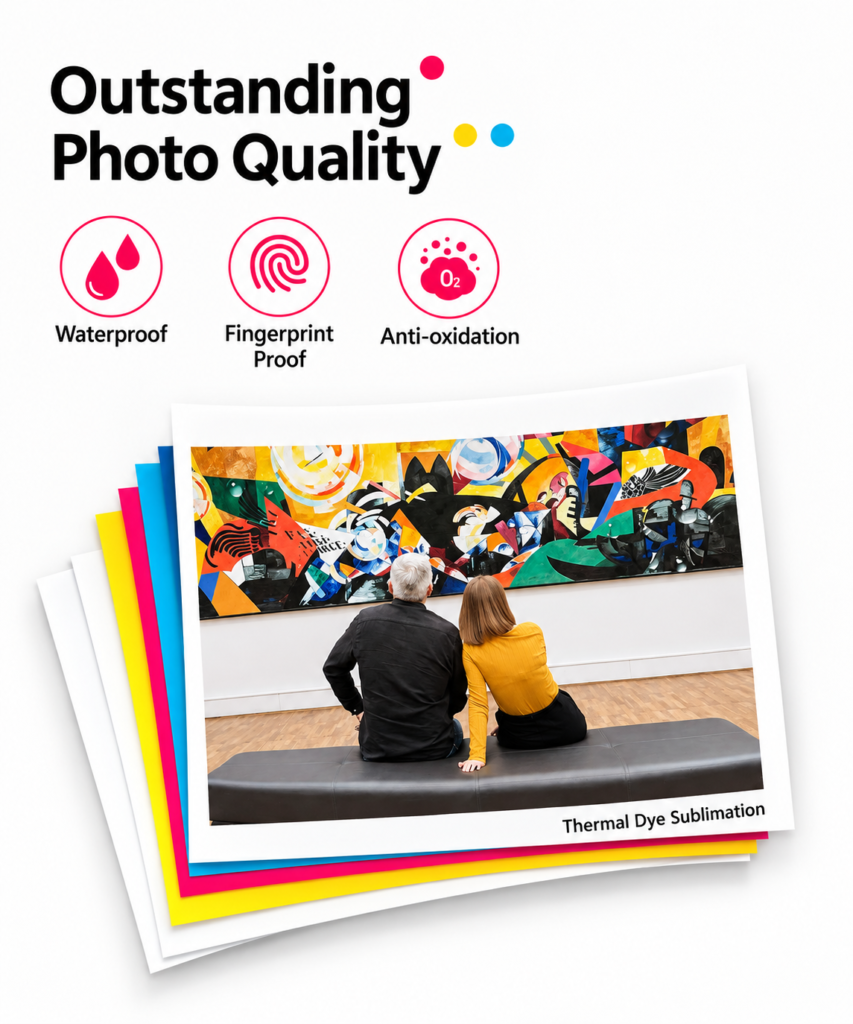
Dye sublimation printing uses a specialized ribbon containing dyes in solid form. The printer heats different sections of this ribbon to precise temperatures, causing the solid dyes to transform directly to gas form (sublimation) without passing through a liquid state. This gaseous dye penetrates the coating on specially treated photo paper, creating vibrant color images.
The process involves multiple passes across the paper. The first pass applies cyan dye, the second magenta, the third yellow, and the fourth a protective overcoat. Each pass uses a heating element to activate dye sections across the ribbon. The precisely controlled temperature and timing determine color accuracy and saturation.
Advantages of Dye Sublimation
This printing technology offers several characteristics relevant to portable photo printing:
Color Quality: The dyes blend continuously across color spectrums rather than creating dot patterns like inkjet printing. This produces smooth color transitions and vibrant, saturated images. Photographs printed via dye sublimation typically display rich colors and good tonal gradation.
Speed: The process completes relatively quickly—the Liene M100 produces finished 4×6 prints in approximately 60 seconds. This rapid output aligns well with the portable printer’s purpose of immediate printing at events or while traveling.
Print Durability: The dyes penetrate the photo paper coating rather than sitting on the surface like inkjet inks. This integration makes dye sublimation prints more resistant to fading, water damage, and physical wear. Prints maintain color and quality for extended periods without the deterioration that can affect some inkjet prints.
Consistency: The thermal process produces consistent results across multiple prints. Color accuracy remains stable print to print, unlike some inkjet systems where factors like humidity or paper type affect output variability.
Limitations of Dye Sublimation
The technology also comes with particular constraints:
Cost Per Print: Thermal dye sublimation cartridges are more expensive per print than some alternative technologies. The Liene M100 includes three cartridges (enough for approximately 100 prints at roughly 30-40 cents per print for consumables alone). Ongoing cartridge replacement represents a significant ongoing cost for regular printing.
Paper Dependency: Dye sublimation requires specifically coated photo paper designed for this technology. Standard printer paper doesn’t work; you must purchase compatible paper, adding to the cost structure. The Liene M100 includes 100 sheets of compatible paper, but replacement paper requires ongoing purchase.
Limited Format Options: Thermal dye sublimation printers typically come in fixed formats. The Liene M100 prints 4×6 inch photos exclusively—no flexibility to print 3×5, 5×7, or other standard photo sizes. If you need different sizes, you need a different printer.
Color Accuracy Challenges: While dye sublimation produces vibrant colors, achieving accurate color representation from smartphone photos can require adjustment. Smartphone cameras capture images in formats optimized for screen display, not print. Translating these images to accurate printed colors sometimes requires color correction or adjustment through apps.
Key Specifications and Features
Print Format: 4×6 Inches
The 4×6 inch format is a standard photo print size, familiar to anyone who’s purchased prints from drugstores or photo labs. Practically speaking, 4×6 inches represents a modest size—about the size of index cards. This size suits:
- Displaying in small frames or on shelves
- Including in greeting cards or scrapbooks
- Sharing at events or gatherings
- Wallet-sized photo displays
- Travel albums or printed collections
What 4×6 inch prints don’t accommodate:
- Large wall displays (5×7, 8×10, or larger sizes work better)
- Detailed fine art photography (larger formats show more detail)
- Poster-like displays
- Extensive text alongside images
The fixed format means you cannot crop or resize images to different proportions. Smartphone photos often capture in 4:3 or full-frame aspect ratios, while 4×6 prints have a specific 2:3 aspect ratio. Images must be compatible with this proportion, or portions of the image get cropped during printing.
WiFi Connectivity
The Liene M100 connects to smartphones via WiFi, eliminating the need for cables, USB connections, or computer intermediaries. The printer creates its own WiFi network that your phone connects to directly, or in some configurations connects to your home WiFi network.
This wireless connectivity enables straightforward workflow: take photos on your phone, launch the Liene app, select images from your photo library, and send them to the printer. The process requires minimal technical knowledge and works immediately after initial setup.
WiFi connectivity also means multiple phones can connect to the same printer. At an event or gathering, multiple people can print photos without complicated file transfer processes.
Included Supplies: 100 Sheets and 3 Cartridges
The package includes sufficient supplies for approximately 100 prints—100 sheets of compatible photo paper and three color cartridges. This quantity varies slightly depending on the exact product configuration but generally provides enough supplies for initial exploration and experimentation.
The “100 sheets” specification matters because it determines how long you can print before requiring additional paper purchase. At one print per day, 100 sheets represent roughly three months of daily printing. At multiple prints per week, supplies might last several weeks. The ongoing requirement to purchase replacement paper and cartridges becomes a practical consideration for regular users.
Replacement cartridge and paper costs exceed many people’s expectations. The initial package provides good value, but ongoing printing costs accumulate. Someone printing two photos per week incurs roughly $30-40 monthly in consumables, which becomes meaningful for household budgets over time.
Portable and Compact Design
The Liene M100 emphasizes portability—the device is lightweight and compact enough to transport easily. Unlike traditional printers requiring desk space and electrical outlets in stationary locations, the portable design allows bringing the printer to events, travel destinations, or any location where instant photo printing provides value.
The portability enables novel use cases: printing photos at parties so guests can take physical memories home, creating printed photos during travel, or documenting events with immediate tangible records. The device requires electrical power (via USB or power adapter) but operates independently from computers or traditional printing infrastructure.
The compact form factor comes with space limitations—the device itself occupies modest counter space, but the paper supply, cartridge storage, and operational space require planning. The device isn’t truly pocket-sized like some smartphone printers, but it’s dramatically more portable than traditional printers.
Smartphone Integration and App
The printer works exclusively through smartphone apps—dedicated apps for iOS and Android devices that manage the connection, image selection, and print queue. The app interface determines much of the user experience.
Typical app functionality includes:
- WiFi network configuration and pairing
- Photo library browsing and selection
- Image cropping and sizing to match the 4×6 format
- Color adjustment and enhancement options
- Print history and management
- Status monitoring
The app quality directly affects how enjoyable using the printer becomes. Well-designed apps streamline the process; clunky interfaces complicate straightforward tasks. Understanding the specific app experience requires using the device or reading detailed user experiences.
How Portable Photo Printing Functions in Practical Contexts
Understanding typical use scenarios clarifies how portable photo printing integrates into actual photography practices.
Event Photography and Instant Sharing
Events—parties, weddings, gatherings, festivals—represent primary portable printer use cases. Rather than guests taking photos that they share later via social media, the printer enables producing physical prints at the event itself.
The workflow might involve photographers or designated photo-takers capturing images throughout the event, then printing selected photos for guests to take home. This creates a different social dynamic than digital sharing—tangible memories that guests can hold and keep, rather than photos that disappear into social media feeds.
The 4×6 size works well for event context. Guests can easily carry or tuck prints, and the modest size prevents photos from dominating attention at an event. The instant nature—producing prints within minutes of capture—aligns well with event timing.
Travel Documentation
Traveling and capturing memories is a common photography scenario. The portable printer enables creating physical travel journals or printed records of trips. Rather than returning home with thousands of digital photos on a phone or camera, travelers can selectively print meaningful images throughout the trip, creating a curated travel record.
Portability becomes valuable here—carrying a lightweight printer in luggage doesn’t consume excessive space, but enables creating printed memories during the trip rather than waiting until after returning home.
Scrapbooking and Memory Keeping
Crafters and scrapbookers work extensively with printed photos. Rather than printing through online services and waiting for mail delivery, the portable printer enables rapid prototyping of layouts and designs. Print several variations, experiment with arrangements, and iterate quickly based on physical results.
The 4×6 format integrates well with many scrapbooking traditions and layouts. The quality of dye sublimation printing suits archival scrapbooking where print longevity matters.
Personalized Gifts and Cards
Printed photos work as personalized gifts—framed prints, photo albums, or printed cards. The portable printer enables creating custom gifts without requiring trips to commercial printing services. Print family photos, travel images, or personal memories into physical formats that serve as gifts.
The cost per print is higher than bulk commercial printing but lower than high-end professional printing, making it accessible for personal projects.
Documentation and Creative Projects
Photographers and creative professionals use portable printing for various purposes—documenting artwork, creating physical portfolios, testing photo concepts, or managing visual references. The immediate feedback of seeing prints informs creative decisions better than screen viewing.
Social Media Content Creation
Some content creators use portable printers to create physical props for social media photography. Printed photos become subject matter for photographs about photography itself, or printed images integrate into styled flat-lay compositions. The ability to produce prints on-demand enables creative exploration.
Who May Find Portable Photo Printing Valuable
Understanding appropriate contexts helps clarify whether portable photo printing suits your actual needs and practices.
Event Hosts and Party Planners: People regularly hosting gatherings where guests would appreciate printed photo memories benefit from portable printing. Wedding receptions, birthday parties, reunions, and similar events all suit this application.
Travel Enthusiasts: Travelers seeking to create physical travel records, those who prefer tangible memories over digital archives, or people wanting to share printed photos with fellow travelers appreciate portable printing.
Scrapbookers and Crafters: People actively engaged in scrapbooking, memory keeping, or photo-based crafts find rapid printing capability valuable for their creative processes.
Family Documentation: People wanting to create printed family photos for display, gifting, or memory preservation appreciate the convenience of on-demand printing without service intermediaries.
Professional Photographers and Creatives: Photography professionals sometimes use portable printers for client deliverables, proofing, or creative documentation.
Content Creators and Influencers: Creators who incorporate physical photos into content creation or use printed images as props or subjects benefit from portable printing capability.
People Who Value Physical Tangible Items: Beyond specific use cases, some people simply prefer physical prints to digital files. The ability to hold, display, and interact with photographs appeals to them more than pixels on screens.
Gift Givers and Personalization-Focused People: Those who regularly create personalized gifts or custom items appreciate quick printing of custom photos for projects.
Educators and Presenters: Teachers or presenters who want to display student work or create physical learning materials find portable printing convenient.
Important Practical Considerations
Understanding realistic expectations and genuine limitations prevents post-purchase disappointment.
Ongoing Consumables Cost
The most significant consideration involves ongoing consumable costs. Initial pricing includes 100 sheets and cartridges, but replacements add significant expense. At approximately 30-40 cents per print for paper and ink combined, monthly printing costs become noticeable.
Someone printing one photo per week spends roughly $12-16 monthly. Someone printing daily approaches $10-14 daily. Over a year, even modest usage accumulates substantial costs. This becomes particularly relevant for budget-conscious households or those considering regular printing.
The consumable cost structure differs from smartphone apps where storage is essentially free. Understanding that physical prints carry real costs helps set realistic expectations about usage patterns.
Photo Quality and Printer Limitations
The Liene M100 produces quality prints suitable for personal use and memory keeping. However, print quality depends significantly on source image quality. Smartphone photos captured in adequate lighting with decent composition print well. Photos taken in poor lighting, with excessive noise, or with composition issues become apparent when enlarged to print size.
Additionally, the 4×6 format limits detail visibility. Fine details visible on larger prints don’t show clearly in this compact size. Highly detailed photography doesn’t showcase well; simple, clean compositions work best.
Color accuracy depends on your smartphone’s photo processing and the printer’s color calibration. Professional color-critical work requires more control than this device provides. For casual personal use and memory keeping, the color quality suffices; for professional photography, limitations become apparent.
Paper Availability and Quality
The printer requires specifically coated paper designed for thermal dye sublimation. You cannot use standard printer paper, photo paper designed for inkjet printers, or other alternatives. This locks you into purchasing compatible paper, which typically costs more than standard printing supplies.
The quality of paper affects print longevity and appearance. The included paper is generally decent quality, but replacement paper quality varies. Researching paper options and understanding longevity expectations informs ongoing purchasing decisions.
Format Inflexibility
The fixed 4×6 inch format doesn’t adapt to different image aspect ratios. Smartphone photos often don’t perfectly match the 4:3 aspect ratio, requiring cropping or letterboxing. This inflexibility limits creative composition options compared to adjustable printing formats.
If you regularly need different photo sizes—3×5, 5×7, 8×10, or other formats—a single-format printer becomes limiting. You’d need alternative solutions for non-4×6 printing.
Power Requirements
The printer requires electrical power via USB or AC adapter. Truly portable use requires carrying the power supply and accessing outlets. Without nearby power, extended printing sessions aren’t feasible. Battery-powered portable printers exist but come with their own limitations; the Liene M100 prioritizes wired power reliability over untethered portability.
For travel or event use, this usually isn’t problematic—events typically occur near outlets, and traveling allows carrying power adapters. However, the power dependency is real and limits completely wireless operation.
Setup and Connectivity Experience
Getting the printer working requires WiFi setup, app installation, and initial pairing. For people comfortable with technology, this involves straightforward steps. For those less familiar with tech, the setup process might present frustration. Understanding your comfort level with device setup matters.
Ongoing WiFi connectivity is necessary. Poor WiFi signals prevent printing; network changes might require reconfiguration. Understanding your WiFi environment helps anticipate whether connectivity will be reliable.
Maintenance and Cleaning
The printer requires occasional cleaning and maintenance. Dust accumulation, paper debris, and normal wear require periodic attention. The thermal mechanism and dye ribbon need care to remain functioning optimally. Understanding basic maintenance expectations prevents surprises about upkeep demands.
Comparing Different Approaches to Photo Printing
When considering portable photo printing, understanding how this approach compares to alternatives provides helpful perspective.
Commercial Photo Printing Services
Traditional photo printing through drugstores, online services, or specialty labs offers several advantages: lower per-print costs at volume, variety of format options, professional-quality printing, and minimal equipment investment. However, this approach requires waiting for delivery, planning ahead rather than immediate printing, and managing uploads or files for processing.
For casual household use or large photo orders, commercial services remain cost-effective. The portable printer excels at immediacy and small quantities; commercial services excel at volume and variety.
Smartphone Photo Apps and Digital Sharing
Digital sharing through social media, messaging apps, or cloud storage requires no printing costs and enables instant worldwide sharing. However, digital photos lack the tangibility of prints. Physical photographs serve different purposes than digital images—they get displayed, touched, and interacted with differently.
The portable printer bridges this gap by enabling rapid creation of physical versions of digital images.
DIY Inkjet Printing at Home
Home inkjet printers offer flexibility in format selection, convenient printing, and relatively low per-print costs once initial equipment investment is recovered. However, inkjet printers require substantial counter space, don’t offer portability, and involve more complex maintenance than thermal dye sublimation.
For people already owning home printers, using existing equipment might make more sense than adding a portable printer. For people without printers, the portable device offers printing without the space and equipment requirements of traditional printers.
Instant Film Cameras and Analog Printing
Instant film cameras like Fujifilm Instax or Polaroid-style cameras produce immediate physical photographs from captured images. These devices appeal to people who prefer analog workflows and want the tactile experience of instant prints.
Instant film cameras and portable digital printers serve similar purposes but through different technologies. Film cameras work with dedicated film; digital printers work with smartphone photos. The choice depends on personal preference for workflow and whether working with smartphone images or dedicated cameras appeals more.
Professional Photography Services
Hiring photographers for events, travel, or documentation creates different value than personal photography. Professional photographers bring expertise in composition, lighting, and post-processing. For important events, professional documentation might outvalue personal photography supplemented by portable printing.
The portable printer complements professional photography by enabling additional printing options rather than replacing professional services.
Frequently Asked Questions
What apps does the Liene M100 work with?
The Liene M100 operates through dedicated manufacturer apps available on iOS and Android. It doesn’t integrate with general photo apps; you must use the Liene-specific app to send photos to the printer. The app quality and functionality are crucial to the overall user experience. Some users report straightforward app operation; others encounter connectivity or usability issues. Testing the app before purchase provides the best sense of whether you’ll find it intuitive.
How long does a single print take?
The Liene M100 typically completes a 4×6 print in approximately 60 seconds (one minute). This includes the thermal dye sublimation process where the printer makes multiple passes across the paper. The speed enables rapid printing at events or for multiple images, though not instantaneous like some instant film cameras.
What happens if I crop smartphone images incorrectly for 4×6 format?
The app includes cropping tools to position images within the 4×6 format before printing. If portions of the image get cropped, the app preview shows what will print. This allows adjustment before committing to printing. Experimenting with positioning before final printing prevents wasted paper from incorrect cropping.
Can I print photos from sources other than my smartphone?
The Liene M100 connects to smartphones and accesses photos stored in the phone’s photo library. Transferring photos from computers, cameras, or cloud storage to your phone allows printing them. You cannot directly connect cameras, computers, or other devices—everything flows through smartphone apps.
How much do replacement cartridges and paper cost?
Costs vary by retailer and specific product configuration, but expect replacement cartridges (typically sold as sets of three) in the $20-35 range, and paper (usually sold as 100-sheet packs) in the $15-25 range. These costs mean ongoing printing is expensive relative to digital sharing. Calculate realistic usage patterns and associated costs before purchasing.
What photo resolution or quality works best for printing?
Smartphone camera resolution is generally adequate for 4×6 prints. Modern phones capture at 12-48 megapixels, far exceeding the resolution needed for small prints. Any reasonably recent smartphone camera produces acceptable print quality. Photos with clarity, good lighting, and clean composition print best; poorly lit or out-of-focus images become apparent at print size.
Can I print larger photos by reducing the 4×6 format?
No, the printer exclusively produces 4×6 output. You cannot enlarge the image by changing printer settings or using different paper. If you need different sizes, alternative printers with flexible formats are necessary. The single-format limitation is a defining characteristic of this device.
What happens to unused cartridges over time?
Thermal dye sublimation cartridges have shelf lives—the dyes can dry or degrade if stored too long without use. Unused cartridges should be stored properly according to manufacturer guidelines. If you purchase the device but don’t use it extensively, cartridges might degrade before being consumed.
Does the printer work in low-light conditions?
The printer itself operates regardless of ambient lighting—it’s an electrical device that works in any light condition. However, the quality of your source photos depends on lighting. Photos captured in poor light print with poor quality. The printer can’t improve source image quality; it can only reproduce what you send it.
Can I print wirelessly from anywhere, or does the printer need to be nearby?
The printer must be powered and connected to WiFi or its own network. When connected to your home WiFi, you can theoretically send print jobs from elsewhere, though you’d need to physically retrieve the prints. For portable use at events or locations away from home, the printer must be physically present at the location where you want prints produced.
What are the dimensions and weight of the Liene M100?
The device is compact—approximately 5.6 x 3.8 x 3.5 inches and around 1.5 pounds. This portability makes transportation feasible, though it still requires a carrying case for protection. It’s lightweight enough to carry easily but requires dedicated space in luggage or bags.
Does the printer come with a carrying case or protective cover?
Product configurations vary. Some include protective cases or bags; others don’t. Protecting the printer during transport prevents damage to the thermal components and lens. Understanding whether a case is included and whether additional protection is necessary informs planning.
Can multiple people print to the same printer simultaneously?
Multiple phones can connect to the printer’s WiFi network, but the printer processes one job at a time sequentially. Jobs queue and print in order. At events with many people wanting to print, queue times might become noticeable. Understanding that printing happens serially rather than simultaneously helps manage expectations in group settings.
What warranty or support comes with the Liene M100?
Warranty coverage varies by seller and region. Typical manufacturer warranties cover defects for specified periods. Understanding warranty terms, support availability, and return policies informs purchasing decisions. Reliable manufacturer support becomes valuable if technical issues arise.
Conclusion
The Liene M100 represents a particular approach to photography—enabling rapid creation of physical 4×6 inch prints from smartphone images through portable, WiFi-connected technology. The thermal dye sublimation printing method produces vibrant, durable prints with relatively fast turnaround times.
The device serves specific purposes well: producing instant prints at events for guest distribution, creating physical travel documentation, supporting scrapbooking and memory-keeping projects, and enabling personalized photo gifts. The portability and WiFi connectivity make these applications practical.
The ongoing consumable costs—paper and cartridges—represent the most significant consideration. At roughly 30-40 cents per print, regular usage accumulates substantial expenses. Understanding realistic usage patterns and associated costs helps determine whether the device aligns with your budget.
The 4×6 format limitation means the device doesn’t adapt to different photo sizes or aspect ratios. The smartphone-app-only workflow requires comfort with technology and WiFi connectivity. These limitations don’t prevent the device from functioning well for intended purposes but constrain flexibility compared to more versatile printing solutions.
The print quality suits personal use and memory keeping admirably. Photos print with good color saturation and durability advantages over some alternative technologies. For casual photography and memory preservation, the quality satisfies; for professional color-critical work, limitations become apparent.
Whether a portable photo printer aligns with your actual photography practices depends on whether you regularly encounter situations where instant physical prints provide value—events where guests appreciate tangible memories, travel where printed records enhance the experience, or creative projects where physical photos serve functional purposes. For people whose photography exists exclusively in digital form and who find screen-based sharing sufficient, a portable printer’s value proposition remains unclear.
Honest assessment of actual usage patterns, realistic understanding of consumable costs, and clear expectations about the device’s capabilities and limitations help determine whether portable photo printing addresses your genuine needs or represents an interesting novelty that sits unused after initial enthusiasm fades.
For those interested in exploring this specific device further, examining user experiences with the dedicated app, verifying paper and cartridge availability in your region, and calculating anticipated consumable costs based on realistic usage patterns provide practical steps toward informed decision-making.
